Graphic design work involves precise cursor control, smooth tracking, and long-session comfort. The ideal ergonomic mouse should allow accurate movement while helping reduce wrist tension during extended editing sessions.
Design workflows often involve small, repeated adjustments across large canvases. A mouse that supports natural hand positioning may help maintain comfort while improving control.
Quick Comparison Table
| Mouse | Type | Connectivity | Price Range |
|---|---|---|---|
| Logitech MX Vertical | Vertical | Wireless | £75–£95 |
| Logitech Lift Vertical | Vertical | Wireless | £60–£80 |
| Kensington Pro Fit Ergo | Vertical | Wireless | £45–£60 |
| Evoluent Vertical Mouse D | Vertical | Wireless | £120–£145 |
| Trust Verto | Vertical | Wired | £20–£35 |
1. Logitech MX Vertical
The Logitech Vertical is a premium ergonomic mouse designed for comfort during long creative sessions. The 57 degree angle supports a neutral wrist posture while maintaining strong tracking precision for detailed editing tasks.
Suitable for:
• professional graphic design
• long editing sessions
• multi monitor workflows


2. Logitech Lift Vertical
The Lift Vertical is a slightly smaller ergonomic mouse that provides strong control for detailed design work. The compact shape allows easier grip precision for users who prefer a slightly lighter device.
Suitable for:
• UI design
• illustration work
• small to medium hands


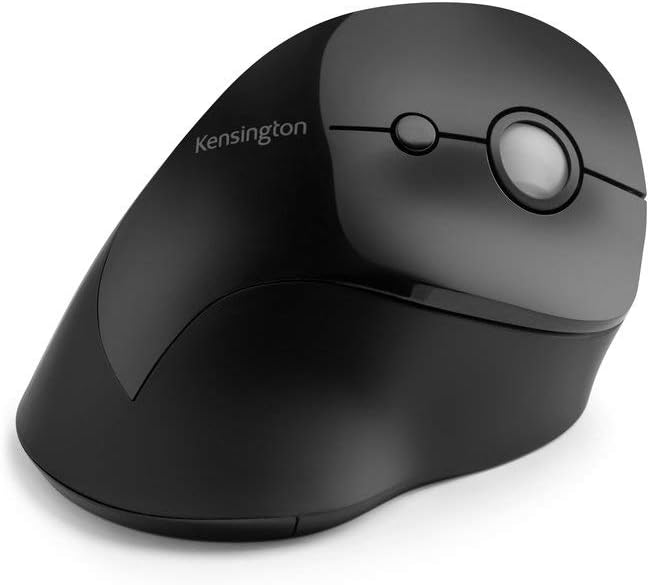
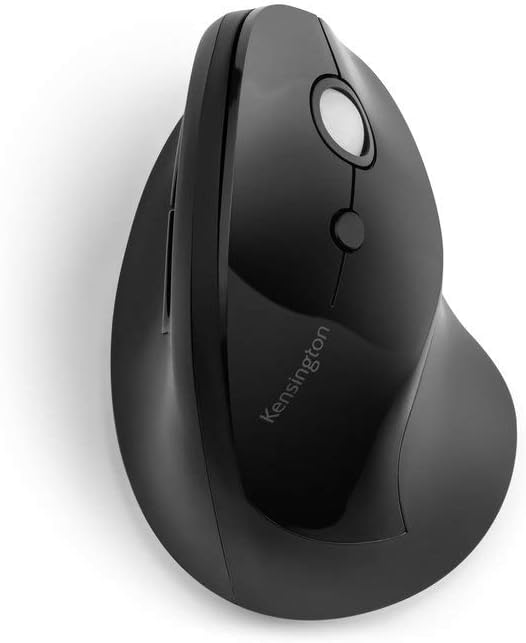
3. Kensington Pro Fit Ergo
The Kensington Pro Fit Ergo is a comfortable mid range option providing stable cursor control and reliable performance across common design applications.
Suitable for:
• general creative workflows
• everyday design work
• home creative setups

4. Evoluent VerticalMouse D
The Evoluent Vertical D is a high precision ergonomic mouse designed for users prioritising minimal wrist movement and accurate control across detailed projects.
Suitable for:
• fine editing work
• repetitive precision tasks
• long design sessions


5. Trust Verto
The Trust Verto is budget friendly ergonomic option providing improved wrist positioning compared to traditional mice while maintaining good usability.
Suitable for:
• entry level ergonomic setups
• occasional design work
• budget conscious users


Buying Guide: Choosing a Mouse for Graphic Design
The Trust Verto works well in a space that places consistent demand on the wrist, hand, and forearm due to repeated precision movements. Choosing a mouse that supports comfort without sacrificing control is important.
Key considerations:
precision tracking
comfortable palm support
reduced wrist rotation
stable grip shape
A mouse that feels comfortable over longer sessions is often more valuable than one that focuses only on technical features.
Frequently Asked Questions
Is a vertical mouse good for graphic design?
Yes. A vertical mouse may help improve wrist positioning while still providing good cursor control for detailed creative work.
Do graphic designers need a high precision mouse?
Accurate tracking is useful for fine adjustments, selection work, and detailed editing tasks.
Is a budget ergonomic mouse enough for design work?
For lighter or occasional design work, a budget ergonomic mouse may be sufficient. For full time professional use, comfort and control often justify a higher quality option.